


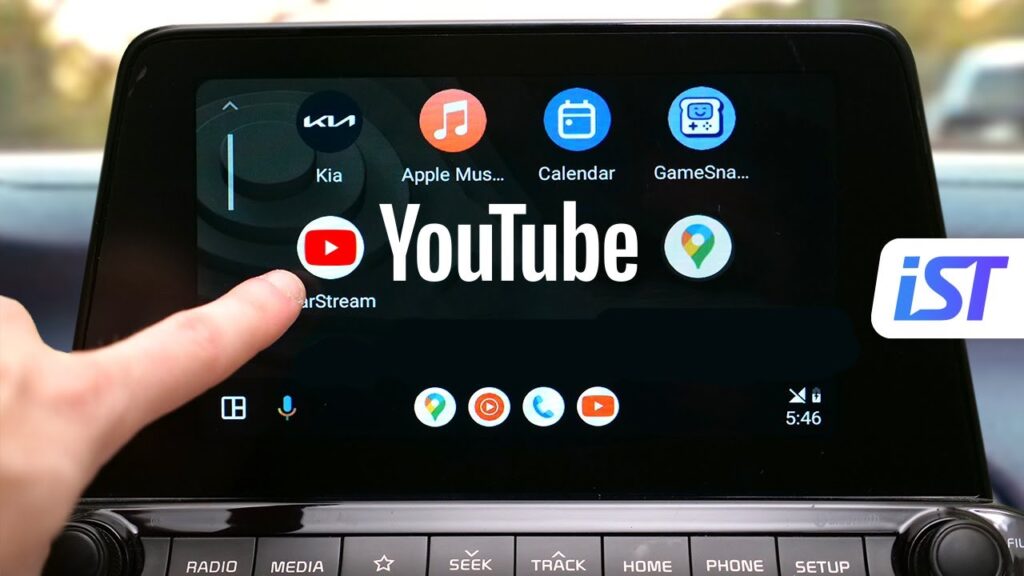
YouTube Now Available on Android Auto – But Only Audio! Here’s Why Drivers Can’t Watch Videos

Introduction
In a major update for in-car entertainment, YouTube is now accessible via Android Auto. However, there’s a catch—drivers can only listen to videos, not watch them.
This move has sparked curiosity among users worldwide. Why would one of the biggest video platforms restrict its core feature—video playback—inside cars? The answer lies in road safety, legal regulations, and smart design decisions.
we break down everything you need to know about this update, its features, limitations, and what it means for users.
What is Android Auto?
Android Auto is a smart driving companion developed by Google that allows users to connect their smartphones to their car’s infotainment system.
It offers features like:
- Navigation via Google Maps
- Music streaming
- Voice commands through Google Assistant
- Messaging and calling
The goal is to provide a safe, distraction-free driving experience.
YouTube Comes to Android Auto – What’s New?

The integration of YouTube into Android Auto marks a significant expansion of in-car entertainment.
Key Features:
- Access to YouTube content through car display
- Audio playback of videos
- Voice search support
- Integration with Google Assistant
This means you can now listen to podcasts, music videos, news, and more directly while driving.
Why You Can’t Watch YouTube Videos While Driving
The biggest question: Why no video playback?
1. Road Safety Comes First
The primary reason is driver safety. Watching videos while driving can lead to:
- Distracted driving
- Increased accident risk
- Reduced reaction time
Governments and safety authorities strictly prohibit video playback on driver-facing screens.
2. Legal Restrictions
Many countries have strict laws against displaying video content in front of drivers while the vehicle is in motion.
Google must comply with these regulations globally, which is why video playback is disabled.
3. Google’s Safety-First Design
Android Auto is designed with a “minimal distraction” philosophy:
- Simple interface
- Voice-first interaction
- Limited visual content
Allowing videos would go against this core principle.
4. System-Level Restrictions

Even if apps want to enable video playback, Android Auto restricts it at the system level:
- No full-screen video for drivers
- Limited app categories allowed
- Strict UI guidelines
This ensures a consistent and safe experience.
What You Can Do with YouTube on Android Auto
Even without video, the feature is still useful.
Audio-Based Use Cases:
- Listen to podcasts
- Stream interviews and news
- Play music videos as audio
- Follow educational content
This turns YouTube into a powerful audio streaming platform for drivers.
Comparison: YouTube vs Music Apps on Android Auto
| Feature | YouTube (Android Auto) | Music Apps (Spotify, etc.) |
|---|---|---|
| Video Playback | Not allowed | Not applicable |
| Audio Streaming | Yes | Yes |
| Podcasts | Yes | Yes |
| Visual Content | Limited | Minimal |
| Safety Compliance | High | High |
Apps like Spotify and YouTube Music already follow similar safety-focused models.
Will Video Playback Ever Be Allowed?

Possible Scenarios:
- When the car is parked
- In autonomous vehicles (future tech)
- Passenger-only screens
As self-driving technology evolves, companies like Tesla are already experimenting with in-car video streaming—but only when the vehicle is stationary.
Android Auto vs Apple CarPlay
Apple CarPlay follows similar restrictions:
- No video playback while driving
- Focus on audio and navigation
- Strong safety guidelines
Both platforms prioritize driver safety over entertainment.
How to Use YouTube on Android Auto
Follow these steps:
- Connect your phone to your car
- Open Android Auto dashboard
- Launch YouTube (if supported)
- Use voice commands via Google Assistant
- Play content in audio mode
Impact on Users
Advantages:
- More content options
- Access to podcasts and long-form audio
- Hands-free operation
Limitations:
- No video viewing
- Limited interaction
- Not useful for visual content
Industry Reaction
Tech experts and users have mixed reactions:
- “Great for podcasts and learning on the go”
- “Not useful without video”
However, most agree that safety should come first.
Why This Move Still Matters
Even without video, this update is significant:
- Expands Android Auto ecosystem
- Positions YouTube as an audio platform
- Enhances in-car entertainment
It also shows how platforms are adapting to context-based usage.
Safety vs Convenience Debate

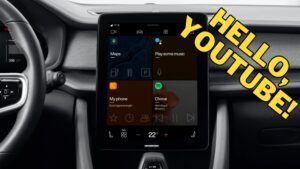
This update highlights an important debate:
| Safety | Convenience |
|---|---|
| Prevents accidents | Limits features |
| Follows laws | Reduces user freedom |
| Protects drivers | Less engaging |
In this case, safety clearly wins.
Conclusion
The arrival of YouTube on Android Auto is a big step forward—but with a necessary limitation.
By allowing only audio playback, Google ensures that drivers stay focused on the road while still enjoying rich content.
While some users may be disappointed, this move reflects a responsible approach to technology in vehicles. As automotive tech evolves, we may see more advanced features—but for now, safety remains the top priority.