

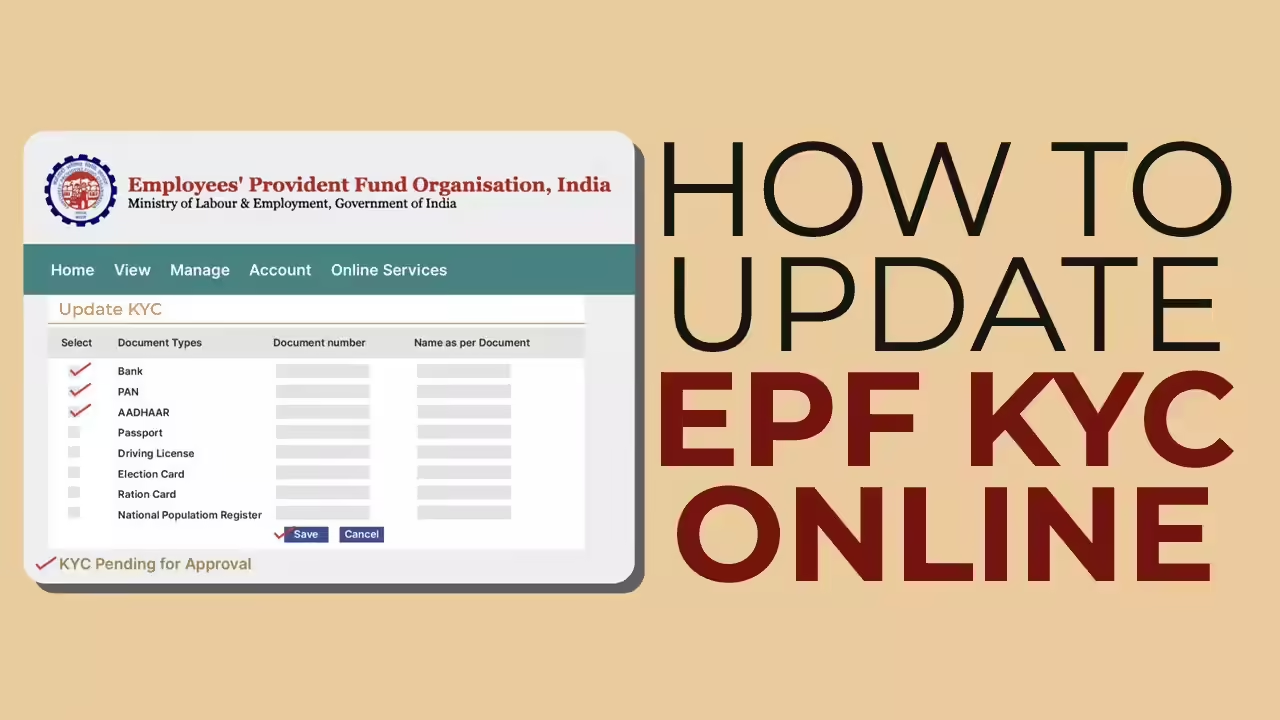
Update PF KYC Online Using UAN: Complete Step-by-Step Guide (2026)
In a major push toward digital convenience, the Employees’ Provident Fund Organisation has made it easier than ever for employees to update their KYC (Know Your Customer) details online using the Universal Account Number (UAN). Whether you’re linking your Aadhaar, PAN, or bank account, keeping your PF KYC updated is essential for seamless withdrawals, transfers, and claim settlements.
In this detailed guide, we explain how to update PF KYC online using UAN, why it’s important, required documents, common issues, and the latest updates in 2026.
What is PF KYC and Why is it Important?
KYC (Know Your Customer) is a mandatory verification process that ensures your identity is properly linked to your Provident Fund account. The Employees’ Provident Fund Organisation requires members to complete KYC to:
- Enable online PF withdrawal
- Transfer PF balance between jobs
- Avoid claim rejections
- Speed up settlement process
- Ensure compliance with government norms
Without proper KYC, your PF account may face delays or restrictions.
What is UAN?
The Universal Account Number (UAN) is a unique 12-digit number assigned to every EPF member. It acts as a central hub linking multiple PF accounts from different employers.
With UAN, employees can:
- Access PF passbook online
- Update personal details
- Submit claims digitally
- Update KYC details
Documents Required for PF KYC Update
To complete your PF KYC online, you need the following documents:
- Aadhaar Card
- PAN Card
- Bank Account Details (with IFSC code)
- Passport (optional)
- Driving License (optional)
- Voter ID (optional)
Among these, Aadhaar, PAN, and bank details are most crucial.
Step-by-Step Guide to Update PF KYC Online Using UAN
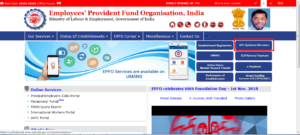
Follow these simple steps to update your KYC details:
Step 1: Visit EPFO Member Portal
Go to the official EPFO Member e-Sewa portal.
Step 2: Login Using UAN
Enter your UAN, password, and captcha code to log in.
Step 3: Navigate to KYC Section
- Click on “Manage” tab
- Select “KYC” from the dropdown menu
Step 4: Add KYC Details
- Select the document type (Aadhaar, PAN, Bank)
- Enter document number and required details
- Save the information
Step 5: Submit for Approval
Once saved, your KYC will show as “Pending.” Your employer must approve it.
Step 6: Employer Approval
Your employer verifies and approves the KYC. After approval, status changes to “Verified.”
How to Check PF KYC Status?
To check the status:
- Login to EPFO portal
- Go to Manage → KYC
- Check status under “KYC Status” column
Statuses include:
- Pending
- Approved
- Rejected
Latest Updates on PF KYC (2026)
The Employees’ Provident Fund Organisation has introduced several updates:
1. Aadhaar-Based Auto Verification
Now, Aadhaar-linked KYC can be automatically verified without employer intervention in many cases.
2. Faster Claim Processing
KYC-verified accounts now get PF claims settled within 3–5 working days.
3. Face Authentication Feature
A new Aadhaar face authentication system is being tested to enhance security.
4. Integration with DigiLocker
Documents can now be fetched directly from DigiLocker for seamless updates.
Common Issues While Updating PF KYC

Even though the process is simple, users may face some challenges:
1. Name Mismatch
If your name differs in Aadhaar and EPF records, KYC may get rejected.
Solution: Update details in EPFO or Aadhaar database.
2. Employer Not Approving
Sometimes employers delay KYC approval.
Solution: Contact HR or raise grievance on EPFO portal.
3. Incorrect Bank Details
Entering wrong IFSC or account number can cause rejection.
Solution: Double-check details before submission.
4. PAN Not Verified
If PAN is not linked with Aadhaar, verification may fail.
Benefits of Updating PF KYC
Updating your KYC offers multiple advantages:
- Hassle-free withdrawals
- Faster PF claim settlements
- Reduced documentation requirements
- Easy online account management
- Avoid penalties and delays
Tips for Successful PF KYC Update
- Ensure your mobile number is linked with Aadhaar
- Use correct spelling of your name
- Keep scanned copies ready
- Regularly check status
- Contact employer promptly if pending
How Employers Play a Role
Employers are responsible for verifying employee KYC details. Without their approval:
- KYC remains pending
- PF withdrawals may be blocked
Employers must ensure timely verification to help employees avoid delays.
PF Withdrawal Without KYC – Is It Possible?
Technically yes, but it is not recommended.
Without KYC:
- You may need offline submission
- Processing time increases significantly
- Higher chances of rejection
Hence, updating KYC is essential.
Security Measures by EPFO
To protect user data, the Employees’ Provident Fund Organisation has implemented:
- OTP-based login authentication
- Aadhaar-based verification
- Encrypted data systems
- Regular cybersecurity audits
Frequently Asked Questions (FAQs)
1. Is KYC mandatory for PF withdrawal?
Yes, KYC is essential for online claims.
2. How long does KYC approval take?
Usually 2–5 working days, depending on employer.
3. Can I update KYC without employer?
Some Aadhaar-based updates may auto-verify, but most require employer approval.
4. What if KYC is rejected?
Correct the details and resubmit.
Conclusion
Updating your PF KYC online using UAN is no longer a complicated process. With digital advancements by the Employees’ Provident Fund Organisation, employees can now manage their provident fund accounts efficiently from home.
Ensuring your Aadhaar, PAN, and bank details are verified not only speeds up claim settlements but also secures your financial future. If you haven’t updated your PF KYC yet, now is the right time to do it.
Stay updated, stay secure, and make the most of your EPF benefits in 2026.