

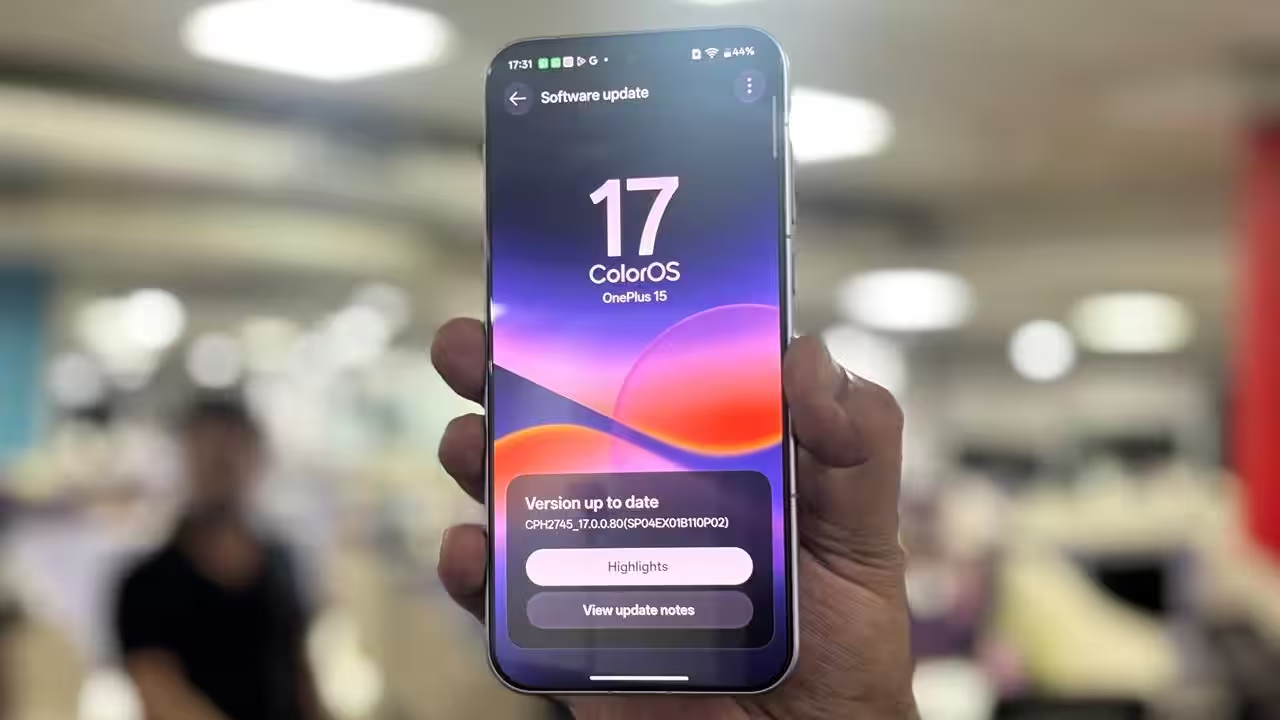
ColorOS 17 AI Capabilities: 7 Powerful AI Features, Smart Tools and OPPO Update Details
ColorOS 17 AI capabilities are attracting attention as OPPO expands its focus on artificial intelligence, smartphone productivity and intelligent photography. The latest software generation aims to make everyday mobile tasks easier through AI-powered assistance, smarter image editing, personal information management and visual recognition.
OPPO unveiled ColorOS 17 globally on October 13, 2026. The new operating system introduces several AI-focused tools, including AI Mind Pilot Agent Mode, AI Photo Agent, AI Mind Space, AI Mind Suggest and OSee. These features are designed to help users organise information, perform supported tasks, edit pictures and access relevant information more conveniently.
For OPPO smartphone owners, the update could represent an important step towards a more personalised mobile experience. However, feature availability will depend on the smartphone model, region and hardware capabilities.
ColorOS 17 AI Features: Key Highlights
Here are the major AI capabilities announced for ColorOS 17.
| AI feature | Main purpose |
|---|---|
| AI Mind Pilot Agent Mode | Helps complete multi-step tasks |
| AI Photo Agent | Simplifies AI-powered photo editing |
| AI Mind Space | Organises saved information |
| AI Mind Suggest | Provides relevant reminders and suggestions |
| OSee | Connects camera input with visual AI tools |
| AI assistant integrations | Supports access to compatible AI services |
| Smart system experience | Combines AI features with interface improvements |
These tools demonstrate OPPO’s effort to make AI useful in everyday situations rather than restricting it to a conventional chatbot.
1. AI Mind Pilot Agent Mode: An Intelligent Personal Assistant
One of the biggest highlights of ColorOS 17 is AI Mind Pilot Agent Mode. The feature is designed to understand a user’s objective, organise the necessary steps and help complete supported tasks.
For example, users who are planning a holiday may have flight information, hotel bookings, saved locations and travel notes scattered across different files. An AI-powered assistant can help bring relevant information together and organise it into a more convenient format.
The feature is also designed to work with personal photographs and documents, subject to permissions and supported integrations.
OPPO has announced Ask Mode alongside Agent Mode. Ask Mode can use saved personal information and compare responses from multiple AI assistants. Announced integrations include ChatGPT, Gemini and Perplexity.
The potential advantage is convenience. Instead of manually searching through several applications, users can rely on AI assistance to organise information and complete selected activities.
2. AI Photo Agent: Smarter Photography and Editing

Photography is another major area of improvement in ColorOS 17. AI Photo Agent is designed to simplify editing by allowing users to describe the changes they want in natural language.
For instance, a user could request a brighter photograph, a different visual mood or a style inspired by a reference picture. The AI can analyse the image and help apply suitable adjustments.
Its Style Match functionality allows users to provide a reference image. The system analyses its colours and overall appearance before applying a similar visual treatment to another photograph.
This could be useful for social media creators, travellers and everyday smartphone users who want better-looking images without learning professional editing software.
However, results can vary depending on the original photograph, the type of requested edit and the phone’s supported processing capabilities.
3. AI Mind Space: Organise Notes, Screenshots and Documents
AI Mind Space aims to solve a common smartphone problem: finding important information after saving it.
Users frequently collect screenshots, articles, notes, documents and links but may struggle to locate them later. Mind Space is designed to organise these materials and make them easier to retrieve.
ColorOS 17 introduces Memory Collections and summarisation capabilities that help users group related information and review it more efficiently.
Imagine saving restaurant recommendations, hotel details and sightseeing locations for a future trip. Instead of reopening every screenshot individually, users can use organised information to build a more useful collection.
Students may also benefit from collecting research material, while professionals could use the feature to organise meeting notes and project information.
The exact results will depend on supported content types, permissions and the information available to the system.
4. AI Mind Suggest: Personalised and Proactive Assistance
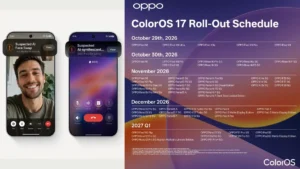
AI Mind Suggest is designed to provide relevant information without requiring users to search for everything manually.
Its intended applications include morning briefings, journey reminders and access to travel-related information, such as flight or train details.
For frequent travellers, this approach could reduce the need to switch repeatedly between booking applications, saved documents and messages.
The system aims to make useful information available when it is relevant, improving convenience during daily activities.
Nevertheless, users should check important travel details against official booking confirmations. Suggestions can depend on available data, permissions, compatible services and regional support.
5. OSee: AI-Powered Visual Understanding
OSee is another headline feature announced for ColorOS 17. It connects camera input with AI tools that can help users understand what they are looking at.
Announced applications include object identification, knowledge lookup, nutrition analysis, high-definition scanning and translation.
For example, a user could point the camera towards an unfamiliar object to learn more about it. Someone travelling overseas could also use visual translation to understand written information in another language.
This approach could make the camera more useful beyond traditional photography. Rather than opening a separate application for every task, users can start with a visual input and access supported tools.
Accuracy may vary depending on image quality, lighting, language and the service being used. Nutrition estimates and other AI-generated information should be treated as guidance rather than a substitute for verified data.

6. AI Integrations and Everyday Productivity
ColorOS 17 also focuses on bringing different AI services into a more connected experience.
The announced AI Mind Pilot integrations include ChatGPT, Gemini and Perplexity. Depending on availability, these services can help users with research, explanations, writing and information discovery.
For example, a student might use an AI assistant to understand a difficult concept, while a professional could use it to summarise information or prepare a first draft of a document.
The advantage of having multiple compatible assistants is flexibility. Different systems may be useful for different tasks, although their responses and capabilities can vary.
Users should also review privacy settings before sharing personal or confidential information with any third-party AI service.
7. Performance and User Experience Improvements
ColorOS 17 is not limited to artificial intelligence. OPPO has also highlighted improvements to interface responsiveness and system performance.
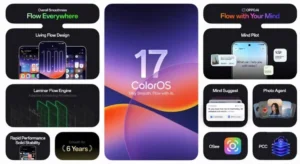
The company references its Living Flow Design, Luminous Rendering Engine and Laminar Flow Engine as part of the updated experience.
These technologies are intended to improve animations, system responsiveness and resource management. OPPO has also published manufacturer-reported performance claims involving app-launch stability, Gallery thumbnail loading and background application retention.
Such results depend on the test environment, hardware and software configuration. Actual performance may differ between devices, and an update does not guarantee identical improvements for every user.
For customers, the important consideration is whether the new software makes everyday activities such as opening applications, browsing photographs and switching between tasks feel more convenient.
ColorOS 17 Release Date and Eligible OPPO Phones
OPPO unveiled ColorOS 17 globally on October 13, 2026. According to its announcement, the operating system is set to debut on the upcoming Find X10 Series, followed by a progressive rollout to additional OPPO smartphones.
A complete, universally applicable rollout schedule should be confirmed through OPPO’s official regional announcements. Different devices may receive the update at different times.
Owners of Find, Reno, F and A series smartphones should check their model-specific eligibility rather than assuming every device will receive the update.
Furthermore, some AI features may require particular hardware, additional memory, an internet connection or supported third-party services. Therefore, receiving ColorOS 17 will not necessarily mean receiving every advertised capability.
Users should install updates through the official system updater and follow OPPO’s instructions for their specific device.
Is ColorOS 17 Worth the Upgrade?
ColorOS 17 looks promising for smartphone users who want practical AI tools rather than a software experience focused exclusively on chatbots.
AI Mind Pilot Agent Mode aims to simplify multi-step tasks, AI Photo Agent makes editing more accessible, and Mind Space helps organise saved information. Mind Suggest focuses on timely assistance, while OSee expands the usefulness of the smartphone camera.
These features could make a meaningful difference for people who regularly manage documents, edit photographs, research information or travel.
However, the overall experience will depend on smartphone compatibility, regional availability and the quality of individual AI services.
For existing OPPO owners, checking the official supported-device list should be the first step. For customers considering a new smartphone, ColorOS 17’s AI capabilities could be one factor when comparing OPPO devices with competing Android phones.
Overall, ColorOS 17 represents OPPO’s effort to build a more intelligent smartphone ecosystem, combining AI assistance, photography tools and system improvements in one software experience.