

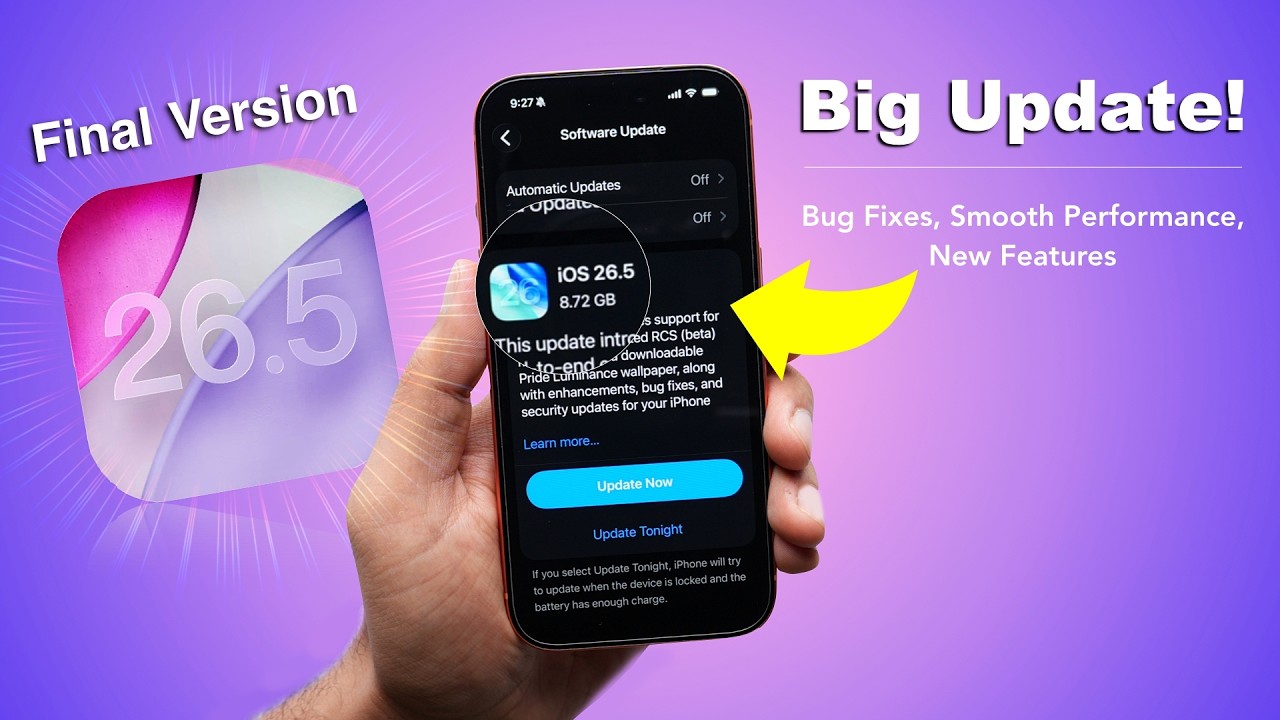
Apple iOS 26.5 Update Released: New Features, AI Improvements, Battery Fixes, and Eligible iPhones
Apple has officially started rolling out the much-awaited iOS 26.5 update for eligible iPhone users worldwide. The latest software update brings several important improvements, including enhanced Apple Intelligence features, battery optimization, security upgrades, smoother performance, and bug fixes for older iPhones.
The new iOS 26.5 update arrives just weeks before Apple’s upcoming WWDC event, where the company is expected to unveil the next generation of iOS. With this release, Apple is focusing on refining the overall iPhone experience while improving device stability and security.
Many iPhone users had been waiting for this update due to complaints regarding battery drain, overheating, app crashes, and performance inconsistencies in earlier versions of iOS 26. Now, Apple claims the latest version addresses many of these concerns.
Apple iOS 26.5 Update Rollout Begins
The iOS 26.5 update is currently rolling out in phases across multiple regions, including India, the United States, Europe, and other global markets. Eligible users can download the update through the Settings app.
How to Download iOS 26.5:
- Open Settings
- Tap General
- Select Software Update
- Download and Install iOS 26.5
Apple recommends connecting the device to Wi-Fi and ensuring sufficient battery backup before installing the update.
The update size may vary depending on the iPhone model and previous iOS version installed on the device.
iOS 26.5 Brings Major Stability Improvements
One of the biggest highlights of the iOS 26.5 update is improved system stability. Apple has reportedly optimized background processes and memory management for smoother multitasking performance.
Users had previously reported:
- Random app crashes
- Heating issues
- Lag during animations
- Faster battery drain
- Camera app glitches
The latest update aims to reduce these problems significantly.
According to early user feedback on online forums and Reddit discussions, many users are already noticing:
- Faster app opening speed
- Better standby battery life
- Improved touch responsiveness
- Reduced overheating during gaming and charging
Some users have even described the update as “the most stable iOS 26 version so far.”
Apple Intelligence Features Improved

Apple continues to expand its AI ecosystem with improvements to Apple Intelligence in iOS 26.5. The company is refining its on-device AI processing for better efficiency and faster response times.
AI Improvements in iOS 26.5:
- Faster Siri responses
- Better contextual understanding
- Improved smart suggestions
- Smarter text summarization
- Enhanced notification prioritization
- More accurate voice recognition
Apple is reportedly optimizing AI features to consume less battery while delivering smoother real-time processing.
The company has been focusing heavily on privacy-first artificial intelligence, where most processing happens directly on-device instead of cloud servers.
Battery Life Optimization in iOS 26.5
Battery optimization remains one of the biggest reasons why users install new iOS updates. Apple says iOS 26.5 introduces advanced power management improvements.
Battery Enhancements:
- Reduced background battery drain
- Better idle battery performance
- Optimized charging behavior
- Improved thermal efficiency
- Enhanced battery calibration
Users with older iPhones, especially iPhone 13 and iPhone 14 series models, are reportedly seeing noticeable improvements after updating.
Apple has also optimized refresh rate management and background syncing to reduce unnecessary power consumption.
Security Patches and Privacy Upgrades

Like every major iOS update, iOS 26.5 includes important security patches and privacy enhancements.
Security Updates Include:
- Fixes for potential vulnerabilities
- Improved app permission controls
- Better protection against spyware
- Enhanced Safari security
- Stronger password management
Apple continues to market iPhone as one of the safest smartphone ecosystems globally, and regular security updates remain a major part of that strategy.
The company advises all eligible users to install the update as soon as possible to stay protected from security threats.
Camera and Photo App Improvements
Apple has also introduced several under-the-hood improvements for the camera system in iOS 26.5.
Camera Enhancements:
- Faster image processing
- Better low-light optimization
- Reduced shutter lag
- Improved portrait edge detection
- More stable video recording
Some users had reported occasional freezing issues in the Camera app on earlier builds of iOS 26. Apple appears to have fixed many of those problems in the latest release.
The Photos app has also received smoother scrolling and quicker media indexing.
Safari and App Performance Improvements
Safari performance has reportedly improved in iOS 26.5 with:
- Faster webpage loading
- Reduced tab reloads
- Better RAM management
- Improved ad-block compatibility
Third-party apps are also expected to perform more smoothly due to backend optimization.
Gaming performance has improved as well, especially for graphically intensive games. Apple has reportedly optimized GPU resource allocation for sustained performance during long gaming sessions.
Eligible iPhones for iOS 26.5 Update

The iOS 26.5 update is available for a wide range of iPhone models.
Supported Devices:
- iPhone 16 series
- iPhone 15 series
- iPhone 14 series
- iPhone 13 series
- iPhone 12 series
- iPhone 11 series
- iPhone XS / XS Max
- iPhone XR
- iPhone SE (2nd generation and newer)
Older devices may receive fewer advanced AI features depending on hardware limitations.
Hidden Changes in iOS 26.5
Apart from officially announced improvements, users have also spotted several minor hidden changes in the update.
Hidden Features:
- Smoother lock screen animations
- Faster Face ID recognition
- Improved keyboard responsiveness
- Better Bluetooth stability
- Enhanced AirPods connectivity
- More stable CarPlay performance
Apple often quietly introduces backend improvements that are not fully detailed in changelogs.
User Reactions to iOS 26.5
The initial response to iOS 26.5 has been largely positive across social media platforms and tech communities.
Many users are praising:
- Improved battery backup
- Smoother animations
- Better gaming performance
- Reduced heating issues
- Faster overall system speed
However, some users are still reporting isolated bugs depending on device model and app compatibility.
As with most iOS updates, Apple is expected to continue refining the software through smaller incremental patches in the coming weeks.
Should You Install iOS 26.5?
For most iPhone users, installing iOS 26.5 appears to be a good decision due to:
- Better stability
- Improved battery life
- Enhanced security
- Smoother performance
- AI optimizations
Users who faced overheating or battery drain issues on previous versions may especially benefit from the update.
However, users relying on specific professional apps should still wait briefly to ensure full app compatibility.
Apple Preparing for Next Big iOS Announcement
The release of iOS 26.5 comes shortly before Apple’s annual Worldwide Developers Conference (WWDC), where the company is expected to showcase the next major iOS version.
Industry reports suggest Apple is planning:
- A redesigned interface
- More advanced AI features
- Smarter Siri integration
- Better multitasking tools
- Deeper ecosystem integration
This makes iOS 26.5 likely one of the final stability-focused updates before Apple shifts attention to the next generation of iPhone software.
Final Verdict
The Apple iOS 26.5 update delivers important improvements across battery life, security, AI functionality, performance, and overall stability. While it may not introduce massive visual changes, the update focuses on refining the everyday iPhone experience.
For users experiencing bugs or performance issues on earlier versions of iOS 26, this update could offer a noticeable improvement in usability and reliability.
With WWDC approaching and Apple preparing its next major software reveal, iOS 26.5 serves as an important bridge update designed to stabilize the platform and improve user satisfaction across supported iPhone models.