

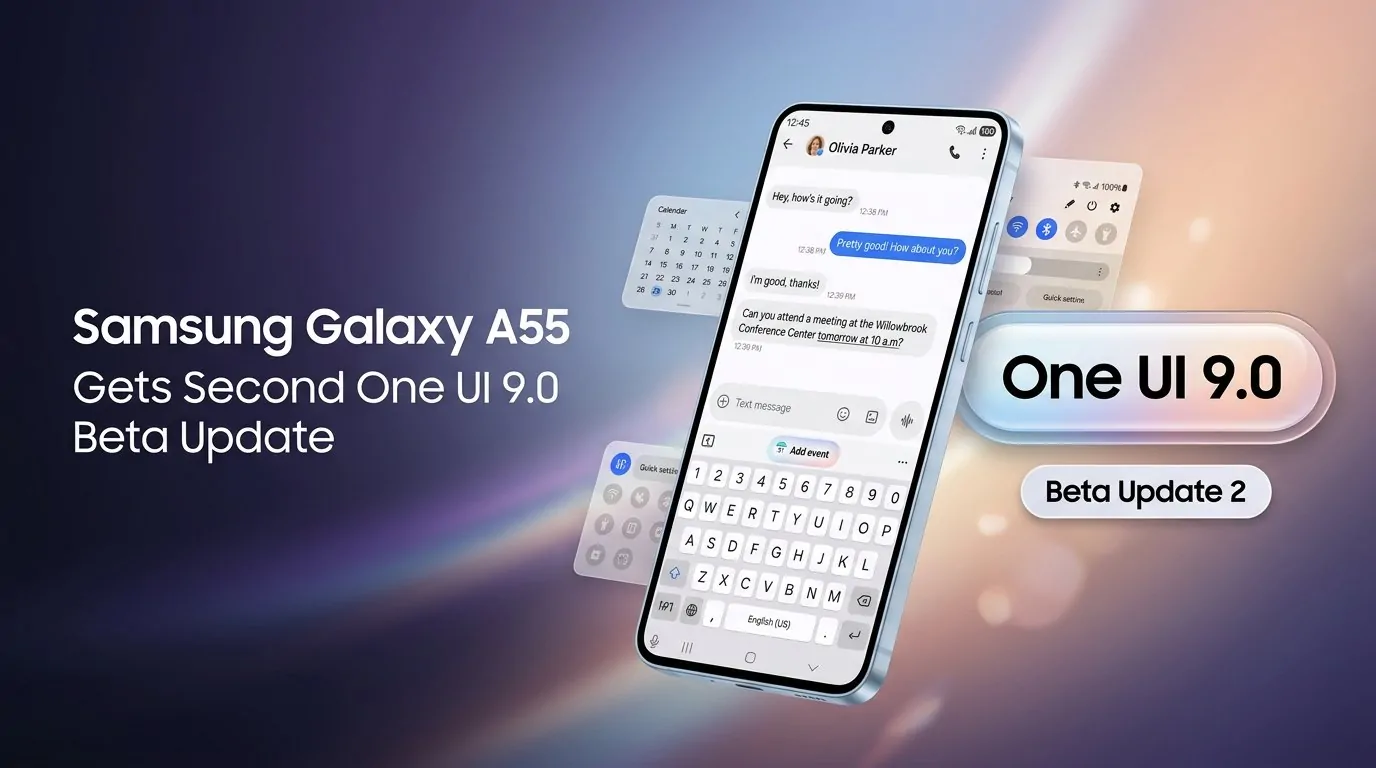
Samsung One UI 9.0 Update: Release Date, Features, Eligible Galaxy Phones and Android 17 Rollout
Samsung has officially started rolling out One UI 9.0, its latest custom Android interface based on Android 17, bringing a new set of Galaxy AI features, privacy tools, productivity upgrades and interface improvements to compatible Galaxy smartphones and tablets.
The stable One UI 9 rollout began in September 2026 after Samsung initially introduced the software with its latest foldable smartphones. The company then expanded the update to the Galaxy S26 series, while additional Galaxy devices are scheduled to receive the software in phases.
As of September 28, 2026, Samsung has also started the stable One UI 9.0 rollout for the Galaxy S25, Galaxy S25+ and Galaxy S25 Ultra in South Korea, according to current firmware reports. Other markets, including India, are expected to follow according to Samsung’s regional rollout schedule.
One UI 9.0 Release Date
Samsung introduced the One UI 9 beta program in May 2026 with the Galaxy S26 series. The company confirmed that the software is built on Android 17 and would bring improvements across AI, customization, accessibility and security.
The stable rollout began on September 16, 2026, with the Galaxy S26, Galaxy S26+ and Galaxy S26 Ultra. Samsung had already introduced One UI 9 on the Galaxy Z Fold8 Ultra, Galaxy Z Fold8 and Galaxy Z Flip8.
Samsung is following a phased rollout rather than making the update available to every Galaxy device simultaneously.
One UI 9.0 rollout timeline
| Device series | One UI 9 status |
|---|---|
| Galaxy Z Fold8 Ultra | Available with One UI 9 |
| Galaxy Z Fold8 | Available with One UI 9 |
| Galaxy Z Flip8 | Available with One UI 9 |
| Galaxy S26 series | Stable rollout started |
| Galaxy S25 series | Stable rollout started in South Korea |
| Galaxy Z Fold7 | Rollout planned/expanding |
| Galaxy Z Flip7 | Rollout planned/expanding |
| Galaxy S25 FE | Rollout planned/expanding |
| Older Galaxy models | Phased rollout expected |
Availability can differ according to country, carrier and device model. Samsung also notes that individual AI features can vary by region and hardware.
One UI 9.0 Based on Android 17
One of the biggest changes with Samsung’s new software is the underlying Android version.
One UI 9.0 is based on Android 17, giving Galaxy users Samsung’s customized interface together with Google’s latest Android platform features.
However, Samsung’s focus is not simply on changing the Android version. The company has built One UI 9 around Galaxy AI, personalized recommendations, device management and security.
The result is an update aimed at making everyday actions require fewer steps.
New Galaxy AI Features in One UI 9
Galaxy AI is one of the major themes of One UI 9.
Samsung says the new software provides richer and more personalized AI experiences, with features designed to understand context and offer useful actions.
Now Nudge
Now Nudge is one of the headline features.
The system can provide context-aware suggestions while users are performing tasks. For example, when people are discussing plans through messages, Now Nudge can surface relevant information and provide shortcuts for actions such as saving a location or adding details to a calendar.
Samsung describes the feature as a way of helping users move to the next action without leaving what they are currently doing.
This is particularly important because Samsung is increasingly positioning Galaxy AI as an assistant that works across applications rather than as a collection of isolated AI tools.
My FanCam Makes Video Editing Easier
Another major One UI 9 feature is My FanCam.
The feature can automatically track a selected person in a recorded video and keep that subject centered as the scene changes. Samsung says it intelligently reframes footage so users can create subject-focused clips without manually adjusting the video.
For people recording children, sporting events, concerts or social-media videos, the feature could reduce the amount of manual editing required.
My FanCam requires a Samsung Account and availability can vary depending on the video and device.
More Personalized Now Brief
Samsung is also improving Now Brief.
One UI 9 introduces Generative and Editable Cards, allowing users to have more control over the information displayed in their daily summaries.
The cards can cover areas such as weather, health and video content. Samsung says this makes Now Brief more personalized because users can choose the type of information they want to see.
The company has also improved the layout and presentation of information in the feature.
Creative Studio Gets Smarter Suggestions
Creative Studio is another area receiving an AI-focused upgrade.
Samsung says the application can suggest image-generation ideas based on relevant upcoming events.
For example, an approaching birthday could trigger a suggestion for creating a themed image or greeting.
The aim is to make generative AI more proactive while still allowing users to decide what they want to create.
Interpreter Gets Thread View
Samsung’s Interpreter feature also receives an update with One UI 9.
A new Thread View helps users follow translated conversations by allowing them to refer back to earlier exchanges.
Samsung also says Conversation Mode translation is faster, while compatible Galaxy Buds can provide quicker playback.
This could be useful for travelers and users who regularly communicate across different languages. Feature availability depends on supported languages, devices and markets.
Document Scan Improvements
One UI 9 also brings improvements to document scanning.
Samsung says Document Scan can now handle difficult materials such as curved book pages and corner-folded papers with less manual adjustment.
Compatible large-screen Galaxy devices also receive optimized views, while the Finger Eraser tool has been improved for cleaner scanned documents.
Voice Recorder Gets Better Summaries
Samsung is adding a more structured presentation to Voice Recorder summaries.
Instead of presenting information in a basic block of text, summaries can use headings and tables, making long recordings easier to review.
This could be particularly useful for meetings, interviews, lectures and personal notes.
One UI 9 Security and Privacy Features
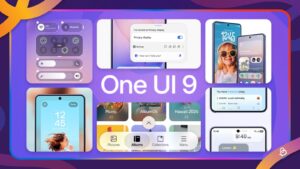
Security is another important part of the new update.
Samsung is introducing Security Brief, which brings security and privacy information into Now Brief.
It can alert users about issues such as malware, apps installed from unknown sources and unnecessary permissions.
The goal is to make security notifications easier to understand instead of forcing users to manually investigate every potential issue.
Privacy Alerts
One UI 9 also introduces Privacy Alerts powered by on-device AI.
Samsung says the feature can identify potential privacy risks, including unnecessary attempts by applications to access permissions in the background.
Supported devices include several newer Galaxy S and Z series models, although availability can vary.
Scam Detection
Samsung is also expanding Scam Detection to additional countries and languages.
Samsung specifically lists India, Japan and Canada among markets where Scam Detection will be available, subject to device, language and software requirements.
For Indian Galaxy users, this is particularly relevant because scam calls and fraudulent communications remain a common smartphone-security concern.
Warranty and Care Comes to Settings
One of the more practical additions is Warranty and Care.
Instead of searching through support pages separately, users can access several device-support functions directly through Settings.
Samsung says users can check warranty coverage, run diagnostics, view repair estimates and manage Samsung Care+ or service appointments.
This turns device maintenance into a more integrated part of the Galaxy software experience.
One UI 9 Design and Usability Changes
One UI 9 is not only about artificial intelligence.
Samsung has also made changes to navigation, layouts and multitasking.
The company says the interface provides smoother transitions and more intuitive buttons, menus and bars.
On compatible foldables, Samsung has optimized the interface for different screen sizes and orientations.
Samsung’s India One UI page also highlights improved Multi Window functionality, including two-way and three-way split views on supported devices.
One UI 9 on Samsung Foldables
Foldable phones are an important part of Samsung’s One UI 9 strategy.
The Galaxy Z Fold8 Ultra, Galaxy Z Fold8 and Galaxy Z Flip8 were among the first devices to receive the new interface.
On the Z Flip series, One UI 9 improves the FlexWindow experience, allowing users to customize widgets and access more functions without opening the phone.
For larger Fold devices, Samsung has focused on multitasking, screen layouts and improved use of multiple applications simultaneously.
One UI 9.0 Eligible Devices
Samsung has confirmed a broad expansion beyond its newest devices.
The One UI 9 beta expansion announced in September included the Galaxy S25, S25+, S25 Ultra, S25 FE, Galaxy Z Fold7 and Galaxy Z Flip7 in selected markets, including India, Korea, the UK and the US.
Samsung has also indicated that One UI 9 will continue expanding to additional Galaxy smartphones and tablets.
However, not every feature will necessarily be available on every compatible model.
Hardware capabilities, regional regulations, language support and Samsung Account requirements can affect the feature set.
How to Check for One UI 9 Update
Galaxy users can manually check whether the update has arrived on their device.
Go to:
Settings → Software update → Download and install → Check for updates
If One UI 9 is available for the device and region, the phone will display the update.
Samsung recommends installing major software updates when the device has sufficient battery and a stable internet connection.
Users can also check Samsung Members for information about supported devices and regional rollout schedules.
One UI 9.0 Update: What Galaxy Users Should Know
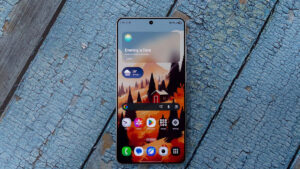
The biggest story around One UI 9 is Samsung’s shift toward a more context-aware Galaxy experience.
Rather than concentrating solely on visual changes, Samsung is combining Android 17 with Galaxy AI, personalized information, improved video tools, translation upgrades and stronger privacy controls.
The rollout is still happening in stages, so Galaxy users should not assume that the absence of an update today means their phone is unsupported.
As of September 28, the Galaxy S26 series is already receiving the stable version, while the Galaxy S25 series has begun receiving stable One UI 9 in South Korea. Other Galaxy smartphones and tablets are expected to follow according to Samsung’s regional schedule.
One UI 9.0 FAQs
Is One UI 9 based on Android 17?
Yes. Samsung’s One UI 9 is built on Android 17.
When was One UI 9 released?
Samsung began the wider stable rollout on September 16, 2026, starting with the Galaxy S26, S26+ and S26 Ultra. The software had already debuted on the Galaxy Z Fold8 Ultra, Z Fold8 and Z Flip8.
Will Galaxy S25 get One UI 9?
Yes. The stable One UI 9 update has started reaching Galaxy S25, S25+ and S25 Ultra devices in South Korea, with other markets expected to follow.
Will One UI 9 come to India?
Samsung has included India among the markets participating in the One UI 9 beta expansion. Stable availability is being rolled out region by region, so users should check their device’s Software Update section or Samsung Members for the latest local status.
What are the biggest One UI 9 features?
Major additions include Now Nudge, My FanCam, improved Now Brief, Creative Studio suggestions, Interpreter Thread View, Document Scan improvements, structured Voice Recorder summaries, Privacy Alerts, Security Brief and expanded Scam Detection.
How can I install One UI 9?
Open Settings > Software update > Download and install on a compatible Galaxy device. If the update has reached your region, you can download and install it from there.
Final Word
One UI 9.0 represents Samsung’s next major software step for Galaxy smartphones and tablets. Built around Android 17, the update combines interface improvements with a much stronger focus on Galaxy AI, contextual assistance, video editing, translation, privacy and device support.
The rollout is now underway, but availability will depend on the Galaxy model, market and carrier. With Samsung continuing its phased expansion, more Galaxy users should see the One UI 9 update appear through the Software Update menu as the rollout progresses.